Duo and Nucli
One mascot for splitscreen.me, one for the handler tools. Both grow out of the splitscreen.me logo: Duo is its split blue window; Nucli is a quiet, helpful atom whose electrons are the players. One colour scheme each, the same in light and dark. The motion borrows BSManager's tricks: a wind-up before every move, squash and stretch, overshoot, and a pause before the spin.
Players: split and merge
One mascot per player. Duo splits off a new friend when a player joins and two of them crash back into one when a player leaves; Nucli pops an electron out, or swallows one. Each player can be present (a controller Nucleus can see), assigned (placed on a screen, holding a controller) or active (their game is running). Try the buttons, or click a mascot. Several clicks in a row run faster. Press 1 to 8 on your keyboard to press a button as that player.
- Present Nucleus sees the device. Duo looks around; Nucli's electron is hollow.
- Assigned Placed on a screen. Duo holds the player's device, ready; the electron fills in.
- Active Their game is running. The Duos hop to a shared beat; the electron speeds up with a trail. Everyone active is a party, and even Nucli gets excited.
- Device The small icon next to each player: controller, keyboard and mouse, keyboard only, or mouse only. Duo holds it and Nucli's electron takes its shape; a new device pops in with a jiggle.
- Input When a player presses something, their Duo hops and their device and electron jiggle, like a haptic tap.
Quality pass
Every animation, with what I did to it. The lessons: long holds then a snap, hit stop on the big hit (impact frames tried, then dropped: they read as glitches), Duo bouncy (a bouncy ball), Nucli firm (a basketball), follow-through, and setup, pause, payoff. Everything as it was before is kept in History at the end, all animations and emoji included.
Duo's animations
For the app, the Hub, the website and Discord.
Nucli's animations
For the workbench, the VS Code extension and the CLI.
Where we are
What's settled, what's open, and where things live now. The newest round is first below; the UI kit is where the chosen ideas become components.
Settled
- The detailed drawings stay. The simpler drawings (round 2) aren't the way; a small build is only for 24 px and under.
- Messages appear where you acted, said by the mascot; a corner toast only when that place is gone.
- Button animations (copy, save, undo, redo…) live inside their buttons.
- Loaders follow the progress: the ring's electrons ride its tip; Duo pushes the bar.
- Only the splitscreen.me and v3 looks matter; Mac and alpha 8 aren't a focus.
- A UI kit to show it all, usable outside these projects; an install like shadcn's, one day.
Open
- Nucli's colour. Teal and gold are out; six violets in round 2. My pick: Ultraviolet (livelier) or Indigo (calmer).
- Which directions from round 1 to keep (refined, Terminal Nucli for the CLI, one Duo per player).
- Which animations ship first. My picks are marked in the UI kit.
- Round 4's ideas, just below.
Explorations, round 4: more ideas
Ideas only. Ones that reach beyond the tools themselves: the browser tab, the Hub, Discord, videos. Each with my verdict.
Explorations, round 3: in the buttons, in every look
Ideas only, nothing here is in the product. Copy, save, undo and the rest get their animation inside their own button, where your eyes already are: 0.3 to 0.6 s, cut off by the next click, the electron colours as accents. Then everything in the workbench's four looks, light and dark, with the Motion setting.
Animations in the buttons Now in the UI kit
- Copy: the front sheet stamps onto the back one, a check draws on the copy, the label says "Copied" for 1.6 s.
- Save: the arrow drops into the tray, which squashes as it lands.
- Undo, redo: the arrow swings back (or on) and springs; an electron flashes at its tip. 0.34 s, because undo comes in bursts: each press restarts it.
- Format: the lines snap into their indentation, one after another.
- Fix all: a flick of the wand, the spark turns, three electrons fly off.
- Share: the link's two halves click together with a ring; "Link copied".
- Try it: the play button presses in and pops; an electron runs once round it.
- With less motion, Motion "Still" or "Off", or the alpha 8 look: no movement, only the state (the check, the label).
Every look, light and dark
The buttons in each pane work too. "Still" here shows each mascot's designed still pose; the workbench freezes the current frame instead, and the new loaders start from an empty frame, so that should change with them.
What I see
- The mascots hold up in every look: their own colours don't depend on the theme, and the panels, tracks and code lines take the look's colours.
- v3 (monochrome) is the one where they stand out most. If that's too loud, the simpler drawings at lower saturation would sit better there.
- Player colours: the looks use their own (#ff6b35, #3b8bff, #ffcf3a, #3ddb86), Nucli uses the splitscreen.me button colours. Tick the box to compare: one set of player colours everywhere would be clearer. Mine: the look's, since players see them in the setup too.
- alpha 8 and Motion "Off" fall back to plain icons and text; nothing is missing.
- "Still" should show the designed still pose (no animation) instead of freezing a frame.
Explorations, round 2: time first, simpler drawings
Ideas only, nothing here is in the product. An animation only works if it fits the moment it is on screen, and if you're looking there. So first how long each moment lasts in the workbench (from its code, and timings I measured with the core), then round 1 judged against that, the ones I reworked, simpler drawings, and colours again (violet only).
How long each moment is on screen
- The animation takes at most a third of the moment; the rest is a still pose you can read.
- Every frame works as a still. A toast closes, a run ends, a page reloads: he can be cut off at any point.
- Never react to a keystroke. React to an action (Try it, Fix, Copy) or to something that stays, 1.5 s after you stop typing.
- Animate where the eyes already are. If Nucli isn't there, the feedback goes on the button or the line, without him.
- Loaders by wait: nothing under 0.4 s (it only flashes), a spinner up to 2 s, then progress, and past 10 s also how long it has been.
Round 1, judged by time on screen
Reworked to fit
Press a wait. Under 0.4 s nothing shows; then the spinner; past 2 s the electrons count the progress (one per quarter); past 10 s he concentrates and says how long it has been.
Simpler drawings, the same animations Not chosen: the detailed drawings stay
Flat fills, one shadow shape, no gloss, rim light, status light or blush, and eyes as dots with one glint. Duo drops to about half his shapes; Nucli loses fewer (his electrons and orbits are most of him), but his body and face go from 35 shapes to 14. Easier to edit, lighter to run, cleaner at 16 px. The parts keep their names, so every animation in the library runs on them as it is: the detail is in the timing, not in the layers.
Colours, round 2: violet only Open
Teal and gold are out. Six violets on the refined shape, each in a toast and the empty Check tab, light and dark.
My recommendation
- Simpler drawings for both, small builds at 24 px and under. Keep the detail in the motion.
- Build first: the loader by wait (it replaces every spinner), startup at 0.8 s, wake-up, escalating per run.
- Ultraviolet if you want him livelier, Indigo if you want him calmer. Both beat today's in a toast.
- Drop undo, copy, and hover; move the big fix to its toast and Duo's juggling to the game launch.
Nucli explorations, round 1
Ideas only: nothing here is in the product. Three directions for his look, then new animations for the workbench, with my pick at the end. Each look is shown at 48, 24 and 16 px on a light and a dark page, the sizes he has as a loader and in the status bar.
Directions
Colour: refined shape, three colours, next to Duo
New animations
Default plays them once and keeps them short; All only are extras for people who turn everything on; the last two are tied to Try it and the editor. When the device asks for less motion, every card shows its still pose.
My recommendation
- Keep the shape, refine it (A). Same Nucli, plus a separate small build for 24 px and under. That fixes the only real problem he has today: he turns to mush as a loader.
- Keep violet. Teal makes him Duo's twin, gold hides player 1 and looks like a warning. Violet is his own and every player colour stands out on it.
- Terminal Nucli (B) as the CLI's icon only, not as the mascot.
- Build first: startup, typing along, escalating error. They are the ones you see every day, and each tells you something (ready, I'm watching, this keeps failing).
- The rule for Default: under half a second, never over the code, never in the way of a click or a key. Everything else waits for "All".
Duo explorations, round 1
The same exercise for Duo: ideas only, nothing here is in the product. His colour is splitscreen.me's blue, so instead of a colour swap there is a direction for one Duo per player. The animations are for the app, the Hub and the website.
Directions
New animations
Same tiers as Nucli: Default plays once and stays short, All only are extras, the last one belongs to player setup. When the device asks for less motion, every card shows its still pose.
My recommendation
- Keep Duo, add the small build (A). Ball only at 24 px and under. Same fix as Nucli's, and they then behave alike as icons.
- Player colours (C) only where one Duo means one player: setup and the players bar. The brand Duo stays blue.
- Not Screen Duo (B). It is the logo with a face, and a box can't bounce, split or roll: most of his animations go.
- Build first: splash drop-in, installed, launch failed. Start, success and failure are the three moments everyone sees.
- Same rule for Default as Nucli's: under half a second, never over content, never in the way. Juggling and peeking wait for "All".
Loader experiments
Little Duos as loaders. Five tries, with my verdict on each; the winners are used below.
Earlier versions of each loader are folded away in its card. Everything dropped, and every earlier version of this page: History, at the end.
In the product
Loaders and states, ready to drop in. Each is one small SVG with CSS; nothing moves when the device asks for less motion.
Player setup
The player setup example is now its own page: App concept: player setup.
Discord emoji
Static and animated, at Discord's sizes: 22 px in a message, 48 px on their own, 16 px as reactions.
Small and in one colour
Next steps
- Pitch Duo to the Nucleus Co-op maintainers (Discord). Nucli can start in the workbench right away.
- Once they're picked: export the emoji (128 × 128 PNG and GIF, under 256 KB each) and a sticker sheet.
- Workbench: Nucli in the empty Check tab, Test all (progress ring), fixes (toast), failed loads; Duo for Hub loading and the 404 page. Off in the alpha 8 look and when the device asks for less motion.
Downloads
Everything as files to use: take it all, or just the part you need. Every pack has a README with how to use it, and the colours.
How to use them on a website or in an app
On a website
- As an image, the simplest:
<img src="duo-joy.svg" alt="Duo cheering" width="120" height="120">. The SVG animates, and stands still by itself when the visitor asks for less motion. - A GIF needs a still for reduced motion:
<picture><source srcset="duo-joy-still.svg" media="(prefers-reduced-motion: reduce)"><img src="duo-joy.gif" alt="…"></picture>. - Decoration next to text that says it:
alt="". Loaders: the text getsrole="status", the imagealt=""; under ~32 px use the twirl or the spinner. - Inline (to restyle with CSS): paste the file's
<svg>; each carries its own<style>. Give each copy unique ids. - The web kit's
example.htmlshows all of these.
In an app
- Discord: Server Settings → Emoji → Upload Emoji: the PNGs as static emoji, the GIFs as animated ones. Avatars for profile pictures.
- WinForms (like Nucleus Co-op): a PictureBox with the PNG, or the GIF (it animates). WPF / Avalonia: the SVG through SharpVectors or Svg.Skia, or the PNGs.
- Electron, Tauri, web views: as on a website. Android: the still SVG as a Vector Asset, GIFs through Glide or Coil. iOS / macOS: PNGs or the still SVG in an asset catalog.
- Games (Unity, Godot): the 512 px PNGs as sprites; Godot imports SVG too.
- Wherever the system has a "reduce motion" setting, show the still file then.
Keep them right
Duo's stripe stays white and vertical (a cross for four players), Nucli's electrons in the player colours. Scale evenly; don't stretch, recolour the body or add outlines.
The drawings (SVG)
Each version of the characters as a still SVG file, from the first sketches to now. Far fewer than the animations: most steps changed how they move, not how they look.
Duo
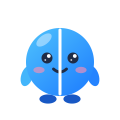
duo-1-arms-and-feet.svg
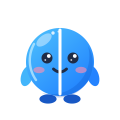
duo-2-shaded.svg
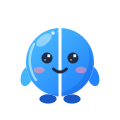
duo-3-current.svg
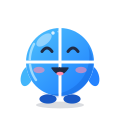
duo-3-four-players.svg

duo-3-small-3d.svg

duo-3-one-colour.svg
Nucli
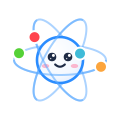
nucli-1-white.svg
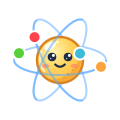
nucli-2-amber.svg
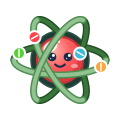
nucli-3-nucleus-coop-logo.svg
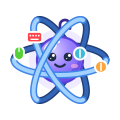
nucli-4-violet-ribbons.svg
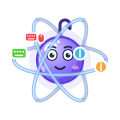
nucli-5-white-eyes.svg
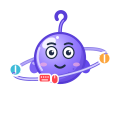
nucli-6-one-ring-hands.svg
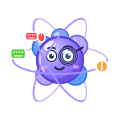
nucli-7-proton-loupe.svg
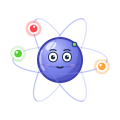
nucli-8-quiet.svg
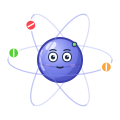
nucli-9-current.svg
The first six ideas
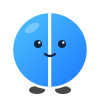
concept-duo.svg
concept-cushy.svg
concept-pip-and-pod.svg
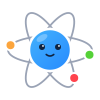
concept-nucli.svg
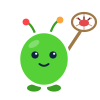
concept-nab.svg
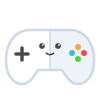
concept-padd.svg
Historic branding, theming, styles, mascots and animations
Everything tried and dropped, and why, with every earlier version of this sheet. Steps 1 and 2 (the first six sketches, then the palettes) are only in the artifact's version history.
What I dropped, and why
Cushy (the couch) and Pip & Pod (the twins) were cute, but neither reads at 16 px, and the twins double every drawing. Nab (the bug-catcher) says "you made bugs", which is the wrong tone for beginners. Padd (the gamepad) is nearly a generic controller icon and repeats Duo's idea. The palette switcher is gone too: the logo's own colours work everywhere, so each mascot gets exactly one look.
The sheet, step by step
Each is the whole page as it was, animations and all. It loads when you open it.
3. Six concepts, palettes and emoji Three ideas for splitscreen.me (Duo the split window, Cushy the couch, Pip & Pod the twins) and three for the tools (Nucli the atom, Nab the bug-catcher, Padd the gamepad), a palette switcher (splitscreen.me, v3.splitscreen.me, the Nucleus Co-op app, player colours) and the first emoji.
4. Two mascots, an animation library Duo and Nucli only, one look each: the first library, loaders, product states and emoji.
6. Physics rig, amber Nucli Split and merge for 1 to 8 players with gravity and springs; Nucli in amber with drawn shading.
7. Nucli as the Nucleus Co-op logo A red nucleus and green ribbons. Dropped: overfitted to one app.
8. Violet Nucli, hook and ribbons His own thing: woven orbits, electron colours, a ProtoInput hook, device-shaped electrons.
9. Devices, white eyes, personalities Electrons match the input device; Nucli attentive, Duo the fun one; Duos in sync.
10. Nucli with one ring and hands One body, one tilted ring, the hook as an antenna; the first loader experiments. Dropped: a toy.
11. Nucli: proton cluster and loupe A jeweller's loupe and a cluster of protons. Dropped: making too much of himself.
12. Quiet Nucli, the hula hoop One calm nucleus, faint orbits, comet-trail electrons, shy.
13. 3D turns, calm joins Duo turns as a ball; the carousel in depth; controllers drawn as gamepads.
Before the quality pass The library and loaders just before the audit, between steps 13 and 14.
14. Quality pass and impact frames The audit of every animation; impact frames (dropped later: they read as glitches).
15. Loaders round 2, a setup screen Ball bounce, two kaleidoscopes, hop-in with a check, the first working player setup.
16. App concept: player setup The setup screen in its own tab; a real controller works through the Gamepad API.
17. Ring relay, walking bars The progress ring as a relay of electrons, Duo walking along loading bars, impact frames dropped; earlier versions folded into the cards.
18. The seam is the split Duo's white stripe becomes the line he splits along; this history section is added.
19. The seam in the body, white inside The stripe is part of the body, and a split shows white inside; the ring's electrons hit the bar.
20. One stripe, a ring queue The four-player Duo keeps a cross stripe; the ring's electrons wait in a queue.
21. White is the seam Every piece is white underneath, so the stripe can't break up at any size; four-player eyes clear of the cross.
22. Duos in the app concept The player setup uses the Duos: one per player, reacting to their buttons.
23. Detected devices, cursors Detected devices and a cursor per controller in the app concept; pretend devices to try it without hardware.
A concept for player setup in a future Nucleus Co-op. Only the devices you actually use show up: a controller when you press one of its buttons, the keyboard when you press a key, the mouse when it moves, the touchscreen when you touch it (a browser can't tell two keyboards or two mice apart). No controller to hand? Add a pretend device under Devices: it joins, moves and leaves like a real one. Press A on a controller to join, or Join on a device. Every controller gets its own cursor, so several people can set up at the same time. The screen splits for each new player and merges when one leaves. Move devices by dragging them, or pick one up (Enter or A) and put it somewhere else. Everything works with a mouse, touch, the keyboard (arrows, Enter, Esc, Delete) or a controller (D-pad or stick, A, B, X, Start). Under the screen, each player is a Duo holding their devices: Duo splits off a new one when someone joins, they merge when someone leaves, and a Duo reacts when its player presses something. On a controller: A hops, B ducks, X wiggles, Y cheers, Start gets everyone hopping, and the D-pad or stick makes him look and lean that way.